

The difference between brands that grow on social media and those that don't? Consistency. And the single most effective tool for consistency is a content calendar. Without one, you're improvising — and improvisation doesn't scale.
This step-by-step guide walks you through building a social media content calendar from scratch, with templates and workflows you can implement today.
Why a Content Calendar Changes Everything
A social media content calendar isn't just a schedule — it's a strategic document that prevents three costly problems:
- Inconsistency — posting 5 times one week and zero the next kills algorithmic momentum
- Content imbalance — without a plan, brands over-promote and under-educate, driving followers away
- Last-minute scrambling — “what should we post today?” wastes 3-5 hours per week on average
Marketers who use a content calendar report 60% higher productivity and 2x more consistent posting compared to those who post ad hoc.
Step 1: Define Your Content Pillars
Content pillars are 3-5 recurring themes that every post maps to. They ensure variety while keeping your feed coherent and on-brand.
How to Choose Your Pillars
Cross-reference three inputs:
- Audience pain points — what problems do they need solved?
- Your expertise — what topics can you speak on with authority?
- Business goals — what content moves people toward conversion?
The intersection of all three is your pillar sweet spot. For example, a marketing SaaS might use: Product Tips, Industry Insights, Customer Stories, Team Culture, and Thought Leadership.
Step 2: Choose Your Posting Frequency Per Platform
Realistic frequency is better than ambitious frequency you can't maintain. Here are evidence-based recommendations for 2026:
| Platform | Minimum | Optimal | Content Types |
|---|---|---|---|
| 3x/week | 5x/week | Text posts, carousels, articles | |
| 3x/week | 5-7x/week | Reels, carousels, Stories | |
| X / Twitter | 5x/week | 1-3x/day | Tweets, threads, polls |
| 3x/week | 5x/week | Video, images, groups | |
| TikTok | 3x/week | 5x/week | Short-form video |
Start with the minimum, establish a rhythm, then scale up. Consistency at 3x/week beats sporadic posting at 7x/week.
Step 3: Map Pillars to Days
Assign each day of the week a content pillar. This eliminates the “what should I post?” question entirely. Example for a brand posting 5x/week on LinkedIn:
- Monday — Industry Insight (start the week with thought leadership)
- Tuesday — How-To / Tutorial (educational value)
- Wednesday — Customer Success Story (social proof)
- Thursday — Personal Story / Lesson Learned (relatability)
- Friday — Engagement Post / Poll (end the week with interaction)
Once the pillar-day mapping is set, you only need to decide the specific topic — not the entire content strategy — for each post. Need ideas? Check out our list of 50 social media content ideas with templates.
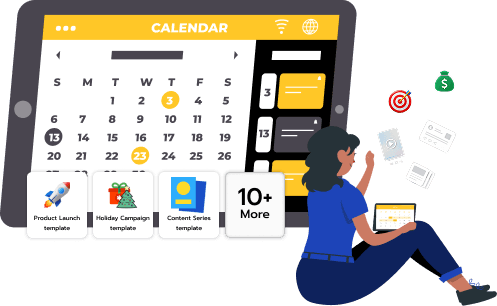
Step 4: Build Your Calendar Template
Every calendar entry should capture these fields:
- Date & time — when the post goes live (optimized per platform)
- Platform — where it's published
- Content pillar — which theme it falls under
- Post copy — the actual text (platform-specific version)
- Media — image, video, or carousel slides
- Hashtags — researched and platform-appropriate
- CTA — what action you want the reader to take
- Status — Draft → In Review → Approved → Published
Step 5: Batch-Create Content
The most efficient content creators don't write one post at a time. They batch-create an entire week (or month) of content in a single session. Here's the batch workflow:
- Ideation session (30 min) — brainstorm 5-10 topics based on your pillars
- Content creation (1-2 hours) — write all posts for the week
- Asset creation (30 min) — design visuals, record videos
- Review & approval (15 min) — proofread and get team sign-off
- Schedule (15 min) — load everything into your scheduling tool
Total time: 2.5-3.5 hours for an entire week of multi-platform content. Compare that to 5-8 hours of daily scrambling.
Growthrik AI compresses this further — input one idea per pillar, and it generates platform-specific posts for LinkedIn, Instagram, X, Facebook, and more in seconds. Then use Growthrik AI's built-in calendar and scheduling to plan and publish without leaving the tool.
Step 6: Optimize Posting Times
When you post matters almost as much as what you post. The algorithm gives new posts a “boost window” — if early engagement is strong, the post gets pushed to a wider audience.
Best Posting Times in 2026
- LinkedIn — Tuesday-Thursday, 7-8 AM or 12-1 PM (local time of your audience)
- Instagram — Monday-Friday, 11 AM-1 PM or 7-9 PM
- X / Twitter — Weekdays, 8-10 AM or 6-9 PM
- Facebook — Wednesday-Friday, 1-4 PM
These are starting points. After 4-6 weeks, check your own analytics for audience-specific patterns and adjust.
Step 7: Leave Room for Real-Time Content
A content calendar shouldn't be a straitjacket. Reserve 20% of your posting slots for timely content:
- Breaking industry news
- Trending topics or viral formats
- Live event coverage
- Spontaneous behind-the-scenes moments
The 80/20 split (planned vs. spontaneous) gives you both structure and flexibility.
Step 8: Track Performance and Iterate
Your calendar is a living document. Every week, review what worked and what didn't:
- Which pillar drove the most engagement?
- What posting time generated the highest reach?
- Which content format (text, carousel, video) performed best?
- What topics got saved or shared (indicators of high value)?
Use these insights to refine next month's calendar. Double down on what works, cut what doesn't. Over 3-6 months, your content becomes increasingly effective as you build a data-driven feedback loop.
Content Calendar Mistakes to Avoid
- Over-planning — planning 3 months ahead sounds smart but reduces agility. Stick to 2-4 weeks tactical, 1-3 months strategic
- Ignoring platform differences — a LinkedIn post isn't an Instagram caption. Each platform needs native formatting
- No approval workflow — for teams, define who drafts, who reviews, and who approves to prevent bottlenecks
- Posting without engagement — scheduling posts is half the job; engaging with responses is the other half
- Never reviewing — a calendar without weekly performance reviews is just a to-do list, not a strategy tool
Frequently Asked Questions
What is a social media content calendar?
A social media content calendar is a planning tool that organizes your upcoming posts by date, platform, content type, and topic. It transforms reactive posting into proactive strategy, ensuring consistent publishing and a balanced content mix.
How far in advance should I plan my content calendar?
Plan 2-4 weeks ahead for tactical content and 1-3 months for campaigns and seasonal content. Leave 20% flexibility for trending topics. Batch-creating content with AI tools like Growthrik AI makes advance planning significantly faster.
What should a content calendar include?
Every entry should include: publish date and time, platform, content pillar, post copy, media assets, hashtags, CTA, and status (draft/approved/published). Advanced calendars also track performance metrics for optimization.
How do I fill a content calendar quickly?
Use content pillars and assign each day a pillar. Then batch-create content with Growthrik AI — input one idea per pillar and generate platform-specific posts for the entire week in minutes. Combine this with our 50 content ideas list for unlimited inspiration.